


When it comes to data recovery, you often can’t manage without specialized software. The main question is: which tool should you trust among dozens of available options? Many users simply ask Google, “What’s the best recovery program?” and one name that consistently appears at the top of the search results is Disk Drill.
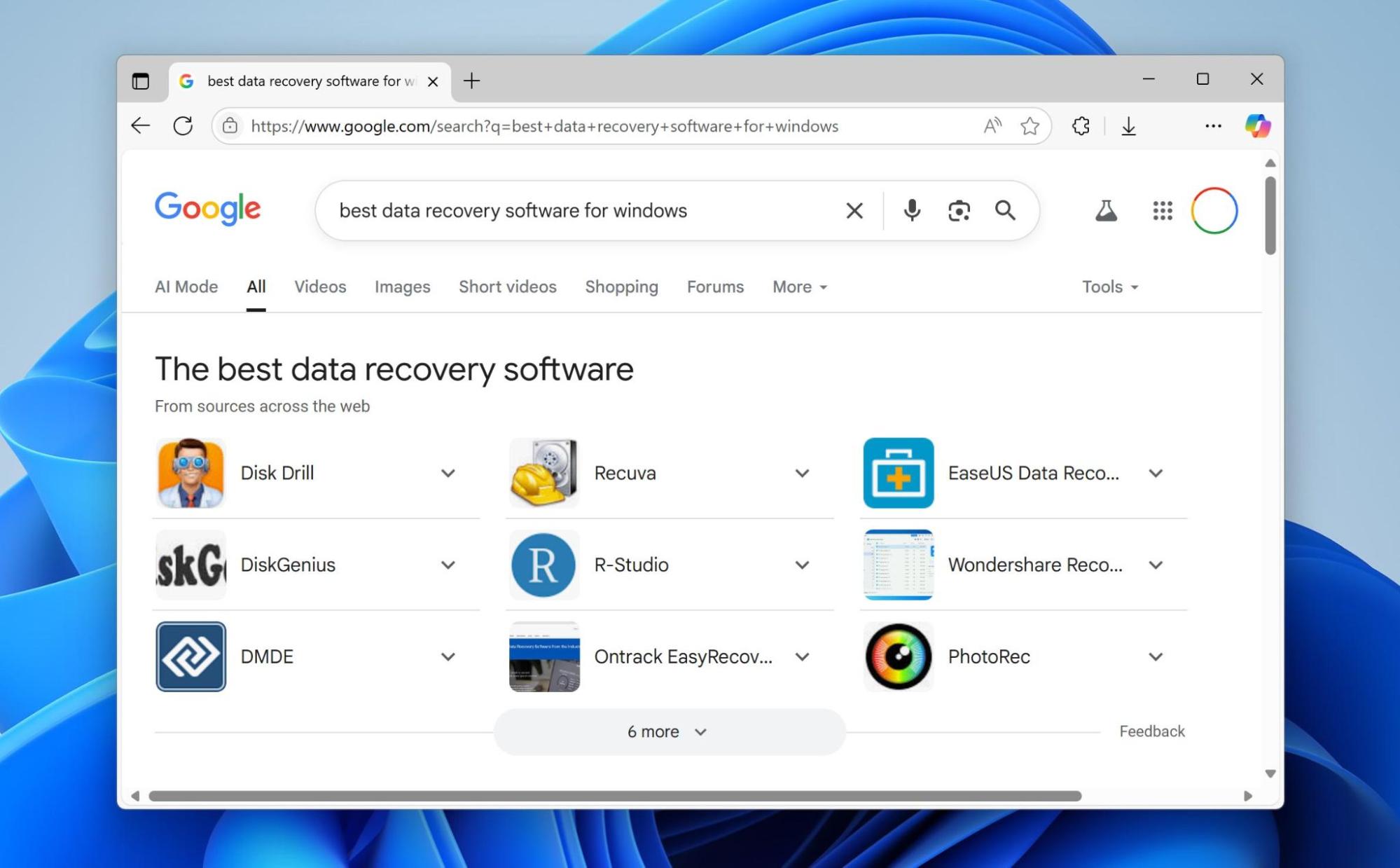
According to the developers, the tool has over 300 million installations and more than 1 million personal and business licenses — numbers that sound impressive. They also present it as a simple, free solution for Windows that can restore deleted files from hard drives, external USB drives, and other storage devices.
With such claims, curiosity is natural. Does the program live up to its promises? Is Disk Drill actually worth it, or are the search rankings merely a result of good marketing? To answer this, our team of 7 Data Recovery Experts carried out detailed tests. In this Disk Drill review, we looked at how the software performs in real scenarios, its strengths and weaknesses, and whether it deserves its place among the top-recommended recovery tools.
Quick Summary of Disk Drill
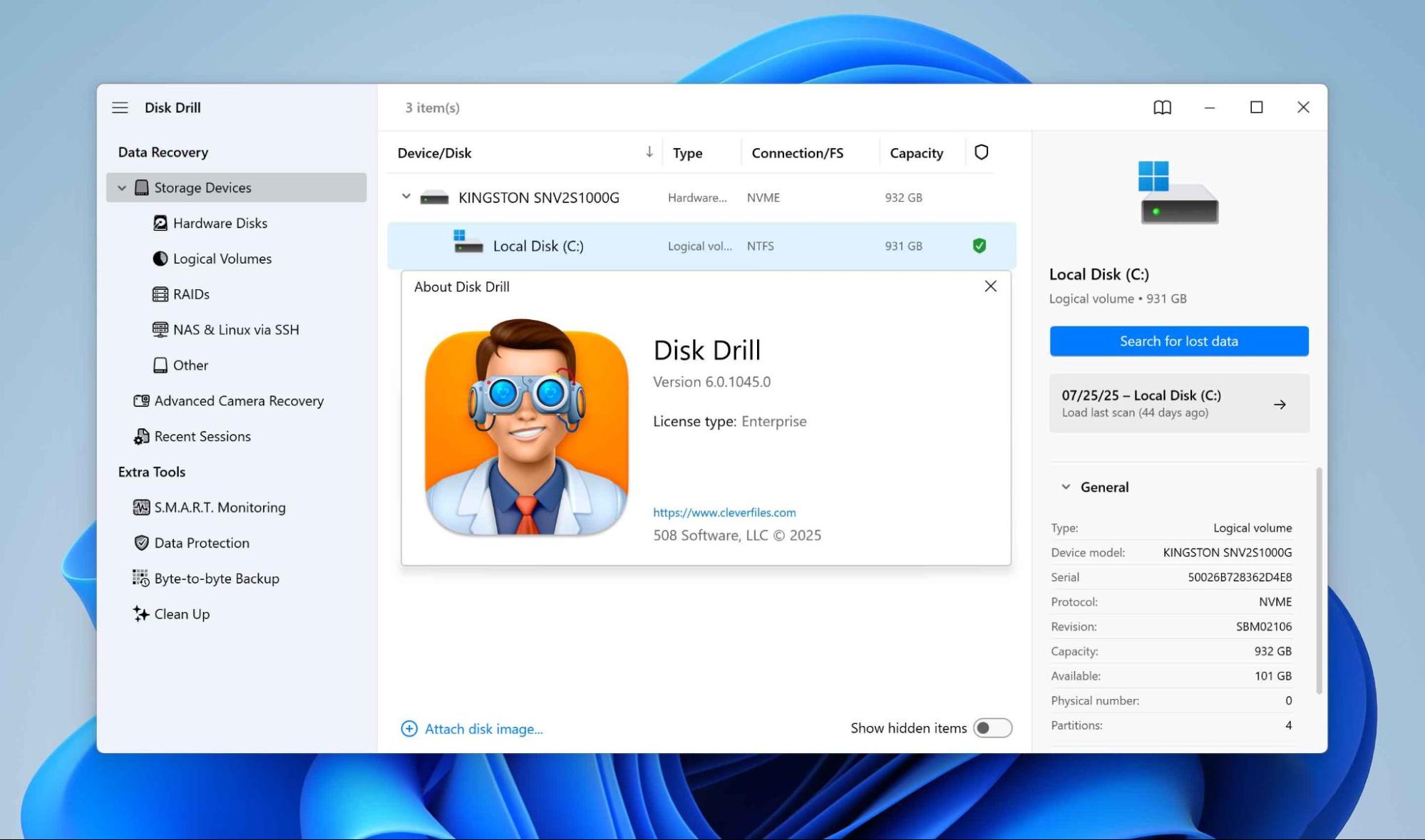
Disk Drill is a great data recovery option to retrieve lost, deleted, or even formatted files from almost all sorts of storage devices. What sets it apart from various competing programs is the ability to recover fragmented videos, whereas many competitors cannot handle this correctly. It also offers advanced features like creating a byte-to-byte disk copy, which proves valuable when working with corrupted devices or SD cards. On top of that, the software includes several additional tools.
However, Disk Drill is not entirely free, despite its stated status on the developers’ website. It follows a freemium model, which means you can test the program with a free trial, but to unlock full recovery capabilities, you need to purchase the Pro version.
Pros
- Simple, beginner-friendly interface
Works with a wide range of file systems (Mac, Linux, Windows) - Can identify around 400 file types
- Excellent built-in file preview
- Very fast scanning speed, among the best
- Supports Linux recovery over SSH (including NAS)
- Can recover fragmented video files from cameras, drones, and DVRs
- Automatically rebuilds software RAID arrays (0, 1, 5, 6, 10, 1E, JBOD)
- Includes free bonus tools (cleanup, duplicate finder, etc.)
- Cross-platform scanning
- One license works on both Mac and Windows
- Free version limited to 100 MB of recovery
- Very limited hardware RAID support
- No option to create bootable recovery drives
- Network recovery only works on Linux via SSH
Technical Details About Disk Drill
Disk Drill was developed by CleverFiles back in 2009. Over nearly 16 years on the market, it has consistently remained one of the leading data recovery solutions, often appearing at the top of comparisons with competitors.
Before moving to hands-on testing, our team first reviewed the developer’s official claims about the program — what it promises to do and in which data loss situations it can provide help. Below we’ve summarized the main technical characteristics of Disk Drill.
Platform, File System, and File Type Support
Disk Drill works on Windows and macOS, covering the two dominant desktop operating systems. It supports recovery from a wide variety of file systems, including:
- FAT16 / FAT32 / exFAT
- NTFS / NTFS5 / ReFS
- HFS / HFS+ / APFS
- EXT2 / EXT3 / EXT4
- BTRFS
- Any RAW disk
The software recognizes around 400 different file signatures during signature-based scanning. These include standard file types (documents, images, videos, audio, archives) as well as niche formats such as RAW photo and video formats from professional cameras.
Supported Devices and Recovery Capabilities
One of the strongest points of Disk Drill is the wide range of devices and situations where the program can be applied. In our Disk Drill software review, we also noted that it doesn’t limit itself to just computers. Disk Drill can attempt recovery from a wide range of storage media, which adds to its versatility:
- SSDs and HDDs — both traditional hard drives and modern solid-state drives;
- Memory cards — including SD, microSD, CF, and other common flash formats;
- USB flash drives — portable storage of all sizes and brands;
- NAS devices — network-attached storage solutions;
- Software RAID arrays — supports RAID 0, 1, 5, 6, 10, 1E, and JBOD assembly;
- Mass Storage Devices — including some cameras and similar devices;
- Smartphones — recovery possible on macOS versions of Disk Drill.
Beyond device support, Disk Drill also shines in the variety of recovery scenarios it can handle. According to the developer’s specifications and confirmed in many Disk Drill pro review discussions, it can help in cases such as:
- Deleted data — restoring files even after emptying the Recycle Bin;
- Formatted devices — recovery after accidental or quick formatting;
- Damaged file systems — repair attempts on corrupted partitions or directories;
- RAW disks — scanning drives that appear unformatted or inaccessible;
- Disks invisible in File Explorer — as long as they show up in Disk Management;
- Corrupted drives — when logical errors prevent access to files;
- Non-critically physically damaged disks — recoverable if recognized with the correct size in Disk Management (recommended via byte-to-byte backup first).
This flexibility demonstrates that Disk Drill is not just for simple accidental deletions. It is also suitable for more advanced and technical recovery cases.
Key Features
Alongside Disk Drill’s ability to bring back deleted or lost files, the program includes a range of additional functions that make the workflow more reliable and efficient.
For example, the integrated byte-to-byte backup option lets you clone drives sector by sector, an essential step when handling unstable or partially failing devices. In combination with SMART monitoring that checks on drive health, it lowers the risk of losing data while being recovered.
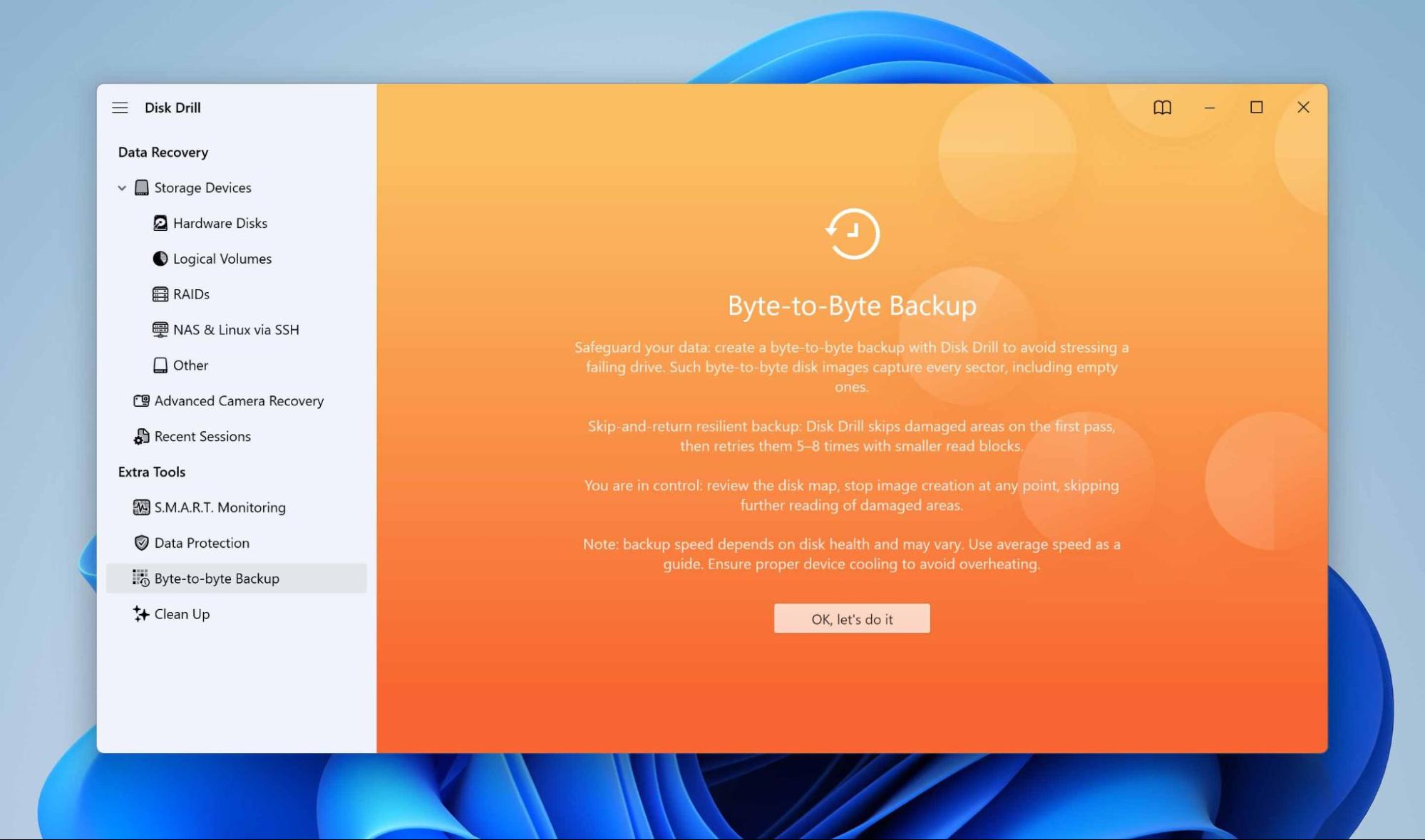
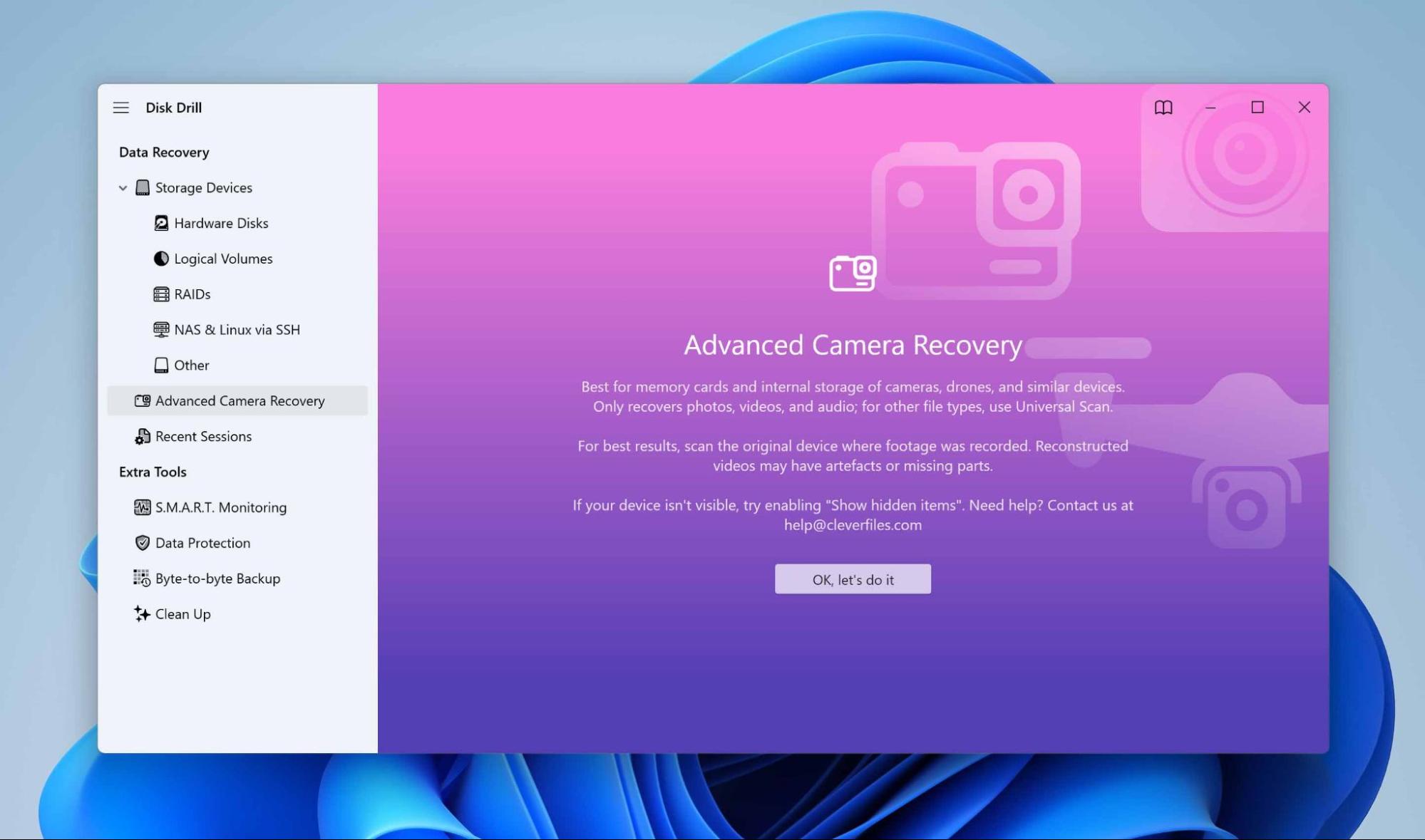
Other modules potentially useful for you include a built-in disk cleanup tool that scans useless files, while data protection runs preemptively to protect key metadata that makes file deletion easier to undo. Disk Drill goes beyond that with professional features such as RAID and NAS recovery; network recovery for Linux over SSH; and Advanced Camera Recovery (ACR), which restores fragmented video footage from cameras, drones, or DVRs.
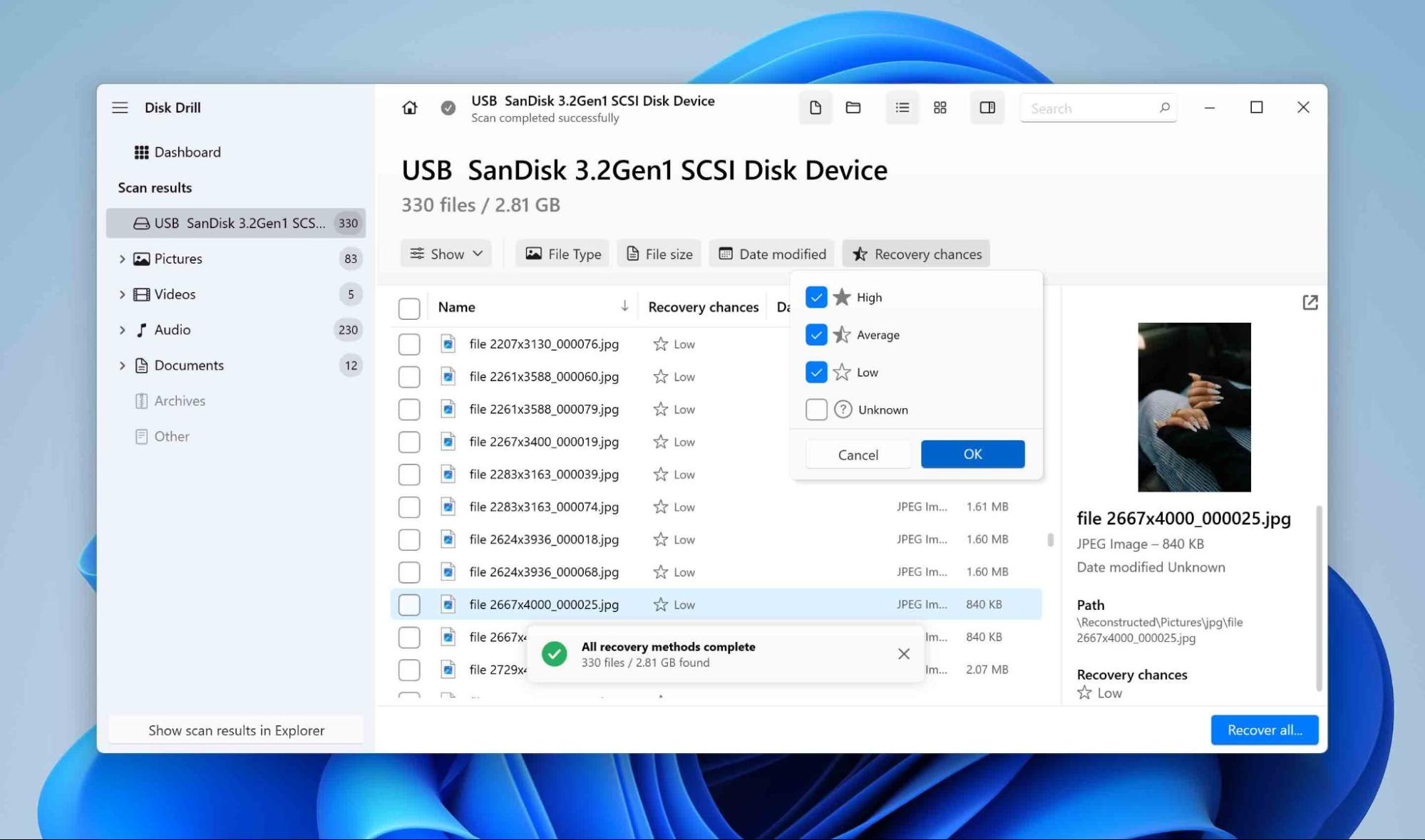
Other refinements improve usability. A Recovery Chances Calculator helps users estimate the likelihood of bringing files back, while the option to mount scan results as a virtual drive makes recovered data easier to browse and verify.
User Interface
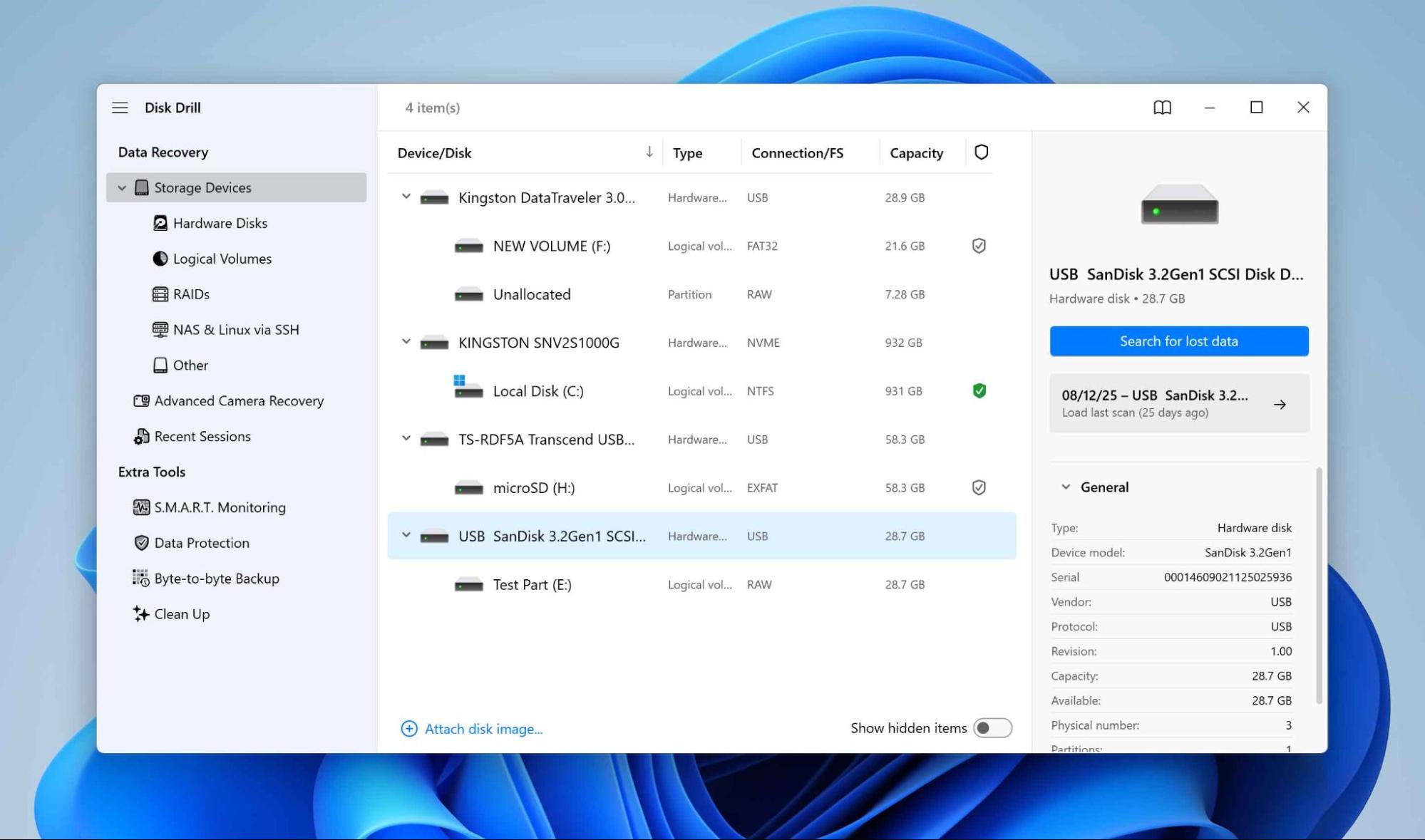
Disk Drill is designed with accessibility in mind. The first screen lists all available drives and storage devices, making it straightforward to choose the right source for scanning. Each device shows useful details like size, file system, and connection type, which helps users quickly identify their drive for recovery.

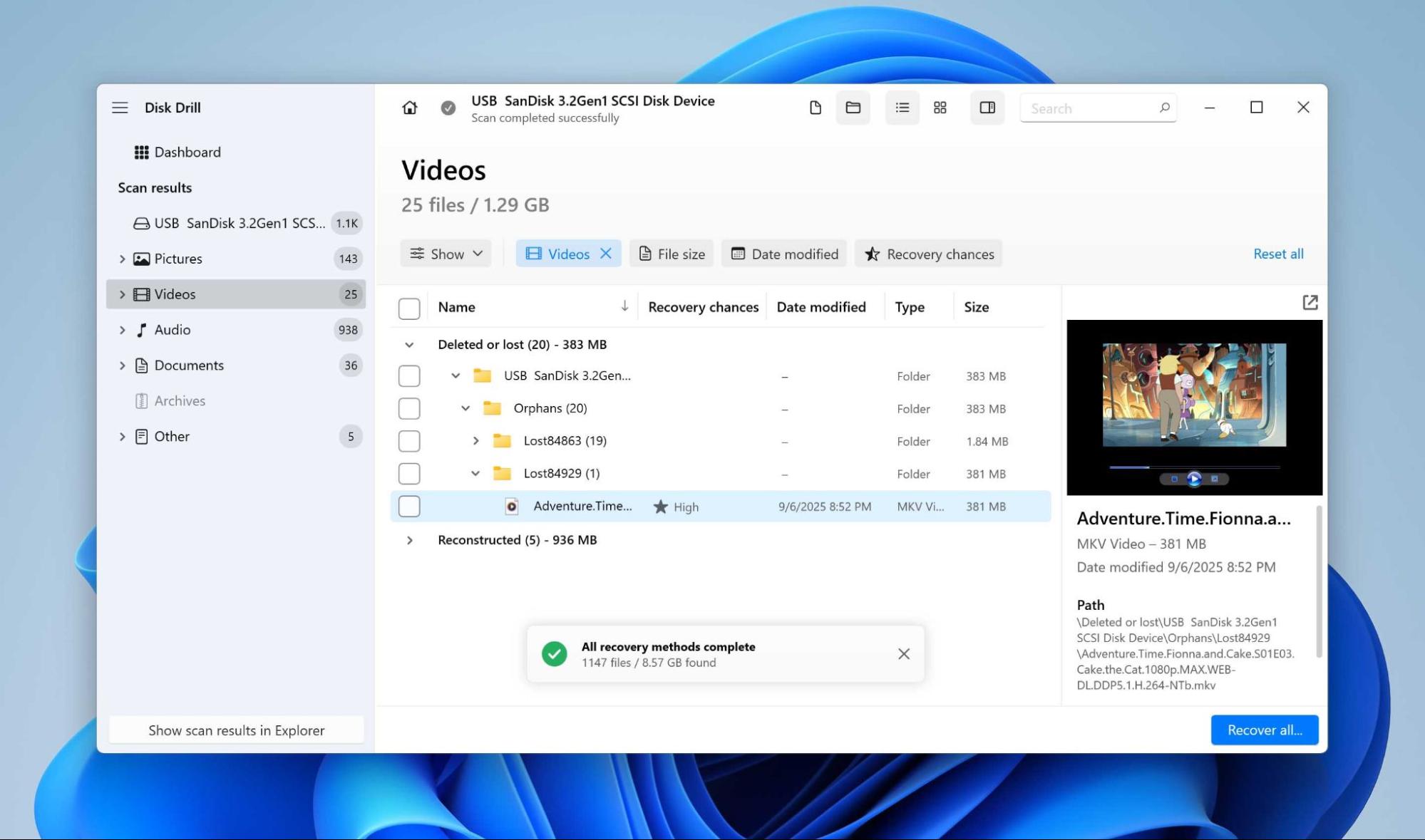
The scanning process is equally clear. Progress is displayed in real time, and results appear in a structured tree view that resembles a standard file explorer. This makes navigation familiar, even for people with no technical background. The built-in preview window is particularly handy, as it allows you to check whether photos, documents, or videos are still intact before deciding to restore them.
Despite offering advanced features, the program avoids overwhelming users with cluttered menus. Options are grouped logically, and most tasks can be launched with just a few clicks. This balance between simplicity and capability makes the interface suitable for both beginners and advanced users who want direct access to scanning modes and recovery tools.
Pricing and Editions
| Edition | What’s Included | Users / Activations | Price for License |
| Disk Drill Free | Up to 100 MB recovery, preview of files, free extra tools | 1 activation | Free |
| Disk Drill Pro | Unlimited recovery, works on both Mac & Windows | 1 user / 3 activations | ~$89 (lifetime license) Additional: $19 lifetime upgrades |
| Disk Drill Enterprise | Unlimited recovery, commercial use, priority technical support, forensic data export | 10 users / unlimited activations | ~$499 (lifetime license) Additional: $99 lifetime upgrades |
Note: Pricing may vary depending on region and promotions.
Customer Support
The Disk Drill customer support team replies mostly via email and text chat. They are usually helpful responses designed to assist users with software issues or licensing questions. Standard support is given to all users, whereas priority support is available for users who buy an Enterprise license. In particular, this can be particularly beneficial for companies that rely on prompt responses. However, some users might consider not having a hotline an issue.

How We Measure Disk Drill Recovery in Our Tests
To demonstrate the transparency and reliability of our review process, we designed a testing setup that simulates real-world data loss scenarios. All tests were performed on a Windows PC, using two different environments: a USB flash drive with a deliberately damaged file system, and an image of an SD card from a DJI drone where all existing files had been deleted. This allowed us to test Disk Drill in both corrupted and deleted data scenarios.
In the case of the flash drive, we attempted to restore our test photos, videos, audio files, and documents. For the drone memory card, the test focused on recovering photos and videos, since these are the most common formats produced by such devices.
Clear and measurable criteria guided the evaluation process to ensure objectivity:
| Metric | Purpose |
| Recovery Success Rate (%) | Shows the effectiveness of the tool |
| Scan Speed (MB/s & avg. time) | Measures performance and efficiency |
| Ease of Use | Reflects interface clarity and accessibility |
| Value per Dollar | Evaluates cost-effectiveness |
| Customer Support Response Speed | Tests responsiveness and quality of support |
By combining hardware tests, multiple file types, and structured evaluation metrics, our team ensured that the review process was not only practical but also replicable, giving you confidence that the results accurately reflect the actual capabilities of Disk Drill, rather than just marketing claims.
Disk Drill Recovery Process
Before each test, the storage device was low-formatted to ensure the purity of the experiment and eliminate any influence of leftover data from earlier sessions. In this section, we will walk through the recovery steps we performed specifically with the USB flash drive scenario, which also answers the common question many users ask: Does Disk Drill actually work?
1. Installation
The installation of Disk Drill on our Windows PC was simple and required only a few clicks. The software launched without additional configuration, and the interface immediately displayed all connected storage devices, including the test flash drive.
2. Disk Selection
Our test flash drive (32 GB) was selected from the list of available devices. Disk Drill displayed details such as volume size and file system (in our case, it is RAW), allowing us to confirm the correct target. For the test, the total amount of data placed on the drive was slightly over 4 GB.
3. Scanning and Viewing Results
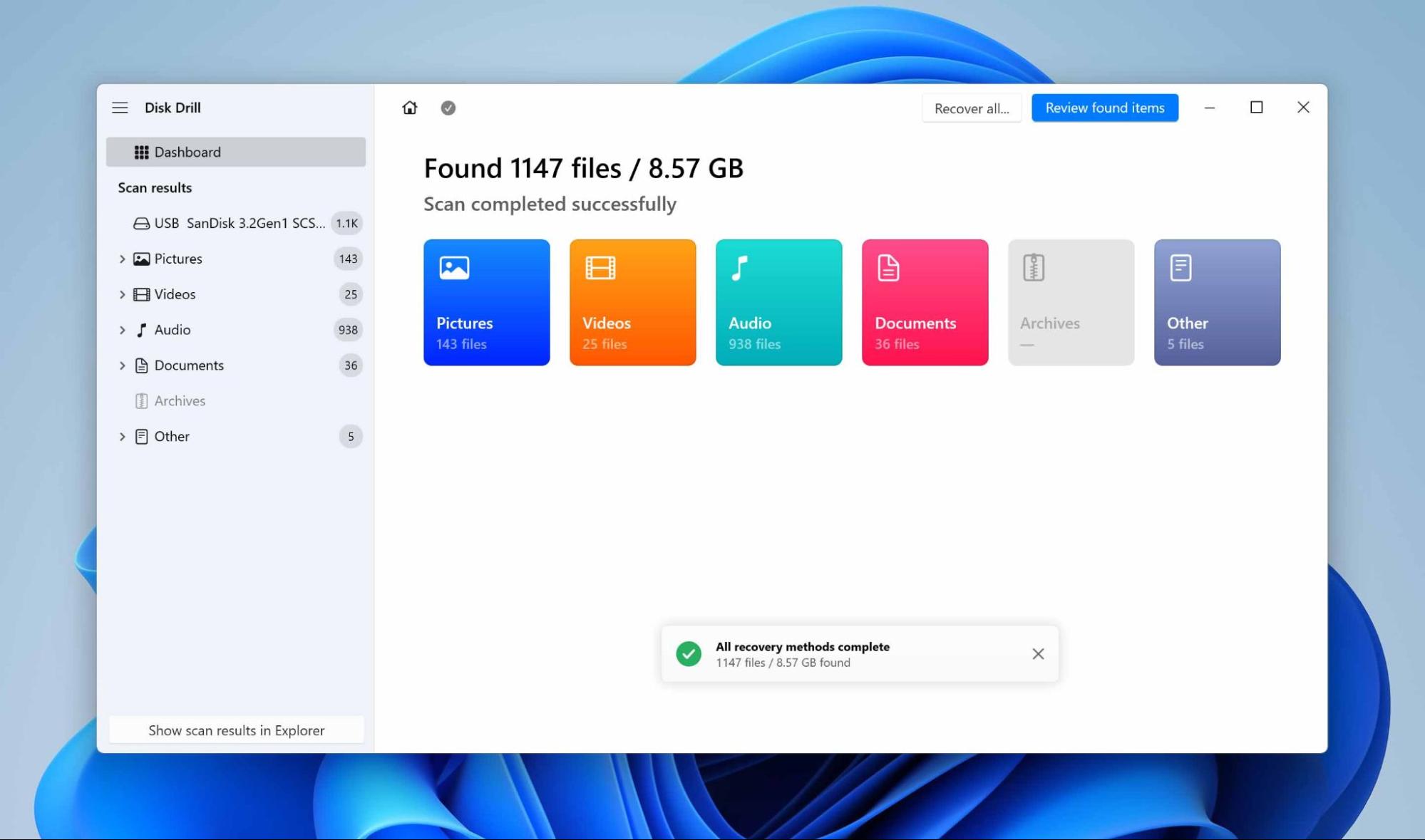
The scanning was fast and efficient. The system was able to attain speeds ranging up to 260 MB/s while it performed scanning on a 32 GB flash drive completely in 1:56 minutes.

Once finished, Disk Drill presented the results in a structured view. Impressively, it identified more than 8 GB of data, which is about twice the actual test volume. It duplicated some sets of files because one set was found via damaged file system metadata, while the other was recovered via signature-based scanning.
The tool also restored the folder structure, though it could not preserve filenames and folder names because the file system was far too corrupted. However, the preview option actually showed the content of the files, including the videos, photos, and documents, which looked intact and usable.
4. Recovery
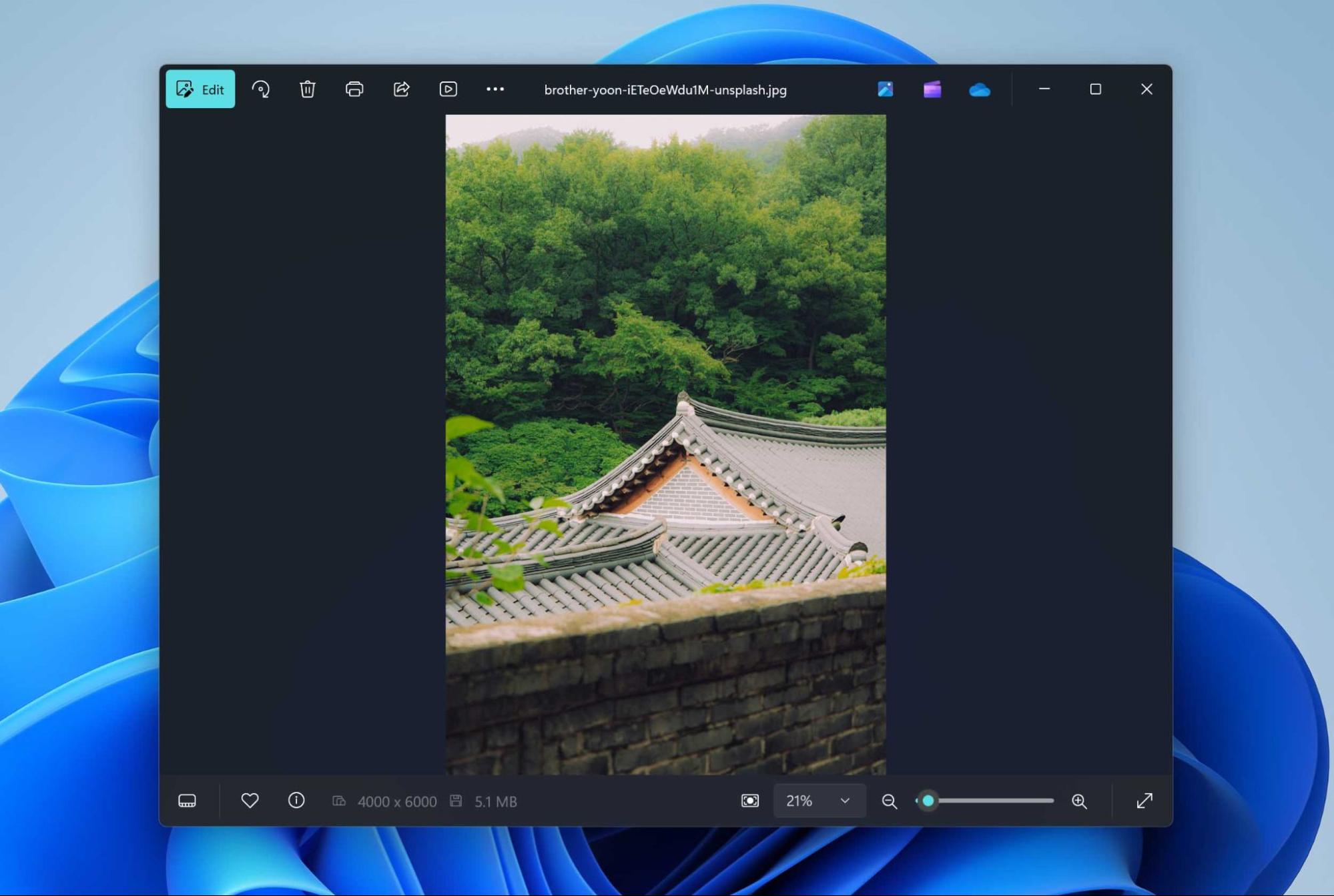
In order to test the recovery itself, we restored some photos within the limits of the Free version. Once recovered and opened in File Explorer, the images appeared whole, clean, and indistinguishable from their original counterparts. This test confirms that Disk Drill’s recovery engine is capable of detecting and restoring files with great reliability from a corrupted drive.
5. Evaluation of Results
To make the findings more transparent, the outcome of the USB flash drive test is summarized in the table below:
| Parameter | Result |
| Test Data Volume | ~4 GB |
| Device Size | 32 GB flash drive |
| Scan Speed | Up to 260 MB/s |
| Scan Duration | Just under 2 minutes |
| Files Detected | Over 8 GB (duplicates: by metadata and by signatures) |
| Folder Structure | Found, but names not preserved |
| File Preview | Videos, photos, and documents appeared intact |
| Recovery Test | Several photos restored in Free version, undamaged and fully viewable |
In addition to the flash drive scenario, we also tested Disk Drill on an SD card image from a DJI drone, where all existing files had been deleted. This test was especially focused on fragmented video recovery. The program identified four MOV video files, though they could not be previewed inside Disk Drill itself. However, after restoring them, all four videos played fully and without damage. This is a rare outcome in data recovery, since fragmented video files from cameras and drones are notoriously difficult to restore without corruption.
Overall recovery success rate based on our two test scenarios:
- USB Flash Drive (corrupted file system) – All files were detected, and restored test files were intact.
- DJI Drone SD Card (deleted files) – 4/4 fragmented videos successfully restored, fully playable.
Taking both cases together, the overall recovery success rate in our testing reached 100% for the files we attempted to restore. However, we do not claim that in your non-synthetic situations, the result will also be 100% successful, as often each data loss situation is unique and contains its own pitfalls.
Disk Drill Users’ Feedback
To balance our hands-on testing, this section highlights real-world user experiences across platforms.
| Source | Rating | Number of Reviews |
| Trustpilot | 4.6 out of 5 stars | ~381 reviews |
| G2 | 3.9 out of 5 stars | ~57 reviews |
| Capterra | 3.7 out of 5 stars overall (Ease of use: 4.1; Customer service: 3.4) | ~11 reviews |
Positive experiences often emphasize that the program works quickly and effectively in critical situations. For example, one reviewer on G2 wrote: “So glad I found Disk Drill. Works amazing… recovered all 36 files in less than an hour” (G2 review). On Trustpilot, another user commented: “Disk Drill is an amazing solution. I inadvertently deleted an mp4… Disc Drill to the rescue!” (Trustpilot review). On Reddit someone commented: “If you’re specifically looking at camera recovery, I think Disk Drill 6 is genuinely the best option right now” (Reddit review) These stories show how users value the tool’s ability to rescue important files when it seems too late.
Still, there are also common complaints, mainly related to the product’s business model and expectations around the Free version. A reviewer on Capterra noted: “They then hit you with a software charge” (Capterra review).
Taking everything together, the company’s reputation comes across as generally positive but with caveats. Trustpilot’s high average rating indicates a large base of satisfied customers, and many individual stories confirm successful recoveries. At the same time, recurring complaints suggest that CleverFiles’ marketing could feel somewhat intrusive, especially when the Free edition is perceived as more generous than it actually is. In practice, the product does deliver strong results, but clearer communication around trial limitations and refunds would make the user experience feel more transparent.
Competitors vs Disk Drill
Considering recovery tools means assessing the closest competitors of Disk Drill. There is a very competitive market for recovery software that includes EaseUS Data Recovery Wizard, R-Studio, and Recuva, to name a few. They all have their strengths: the EaseUS software has an easy interface, R-Studio is feature-packed, and Recuva is both free and lightweight. Even so, with the features, speed, and value combined, Disk Drill continues to win on all counts.
| Feature / Tool | Disk Drill | EaseUS | R-Studio | Recuva |
| Ease of Use | Very user-friendly, clean UI | Easy | Technical, for pros | Simple |
| Supported OS | Windows & macOS | Windows & macOS | Windows, macOS, Linux | Windows only |
| File Systems | FAT, NTFS, exFAT, HFS, APFS, EXT, BTRFS, RAW | FAT, NTFS, exFAT, HFS+, APFS | Wide (incl. RAID formats) | FAT, NTFS |
| Signature Types | ~400 (incl. RAW photo/video) | ~1000+ | Very wide | Limited |
| Preview Before Recovery | Excellent built-in preview | Limited | Limited | Limited |
| Scan Speed | Up to 260 MB/s (fast) | Up to 320 MB/s (fast) | Up to 300 MB/s (fast) | Up to 170 MB/s (medium) |
| Fragmented Video Recovery | Yes (rare among tools) | No | No | No |
| RAID/NAS Support | Software RAID, NAS, SSH | RAID (basic) | Advanced RAID (hardware too) | None |
| Extra Utilities | Byte-to-byte backup, cleanup, protection, SMART | Limited | RAID configuration module | Basic undelete only |
| Free Edition | 100 MB limit, tools free | 2 GB limit (reg. required) | <256 Kb per file | Fully free |
| Price (Pro license) | $89 lifetime | $99.95 per year | $79.99 per platform | Free / Pro $20 |
| Value for Money | Best balance of price, features, usability | Expensive yearly model | Technical niche use | Free but limited power |
While R-Studio is still the go-to for specialists dealing with complex RAID rebuilds and Recuva wins for being a simple free option, Disk Drill offers a rare balance: a user-friendly interface, advanced features like fragmented video recovery and byte-to-byte backups, plus an affordable lifetime license. EaseUS, on the other hand, tends to fall short due to its higher recurring subscription costs, despite being easy to use.
No software is perfect, and each tool has its place depending on the use case. Still, our tests and feature comparison show that Disk Drill is on par with or better than its competitors in most categories — especially in versatility and value for money.
Verdict
Disk Drill for Windows has proved itself as an excellent recovery tool. It’s fast, supports the major file systems, and cross-platform licensing is a major win, as native support for multiple systems means you can use it in an organization across all of your storage servers. And this is just the tip of the iceberg: byte-to-byte backups, recovering fragmented video, and dealing with RAID/NAS are all part of the Pro module package. It’s easy to use for beginners, but it has plenty to offer advanced users.
Some weaknesses of the software also exist. The free version restricts the recovery amount to only 100 MB, which can be less satisfactory than similar programs. It lacks powerful hardware RAID support, and it cannot create bootable disks. CleverFiles’ freemium model and its marketing around the “free” model can confuse some users.
Based on our analysis, Disk Drill is best suited for users who need to recover photos, videos, and documents — especially in cases of file system corruption, accidental deletion, or fragmented media files from cameras and drones. It offers excellent value for individuals and small businesses who want a one-time lifetime license instead of recurring fees.
After testing and expert discussion, our team of 7 Data Recovery Experts gives Disk Drill a final rating of 9.1 / 10 (★★★★★).
📌 Recommendation: Smart purchase if you’re looking for an all-inclusive, user-friendly solution for file recovery with good multimedia and overall file recovery results. Consider alternatives if you really need hardware RAID support, like in R-Studio, or a completely free, easy-to-use utility for recovering deleted files like Recuva.