


Continuing our series of hands-on reviews of data recovery software, this time we turned our attention to Wondershare Recoverit. It is one of those recovery tools that almost everyone has heard of. Wondershare has promoted it heavily for years, and the software regularly appears in lists of recommended recovery applications.
The reputation looks impressive – at the time of writing, Recoverit holds a 4.6 out of 5 rating on Trustpilot based on nearly 6,000 user reviews. Those numbers are high enough to raise an obvious question: does the software actually perform as well as its reputation suggests?
To find out, our team put Recoverit through a series of recovery tests that covered several common data loss scenarios. We evaluated its recovery performance, examined its feature set, looked at how it handled different types of storage devices, and paid close attention to the overall recovery experience. This Wondershare Recoverit review is a summary of what we found during that process.
Quick Summary of Wondershare Recoverit
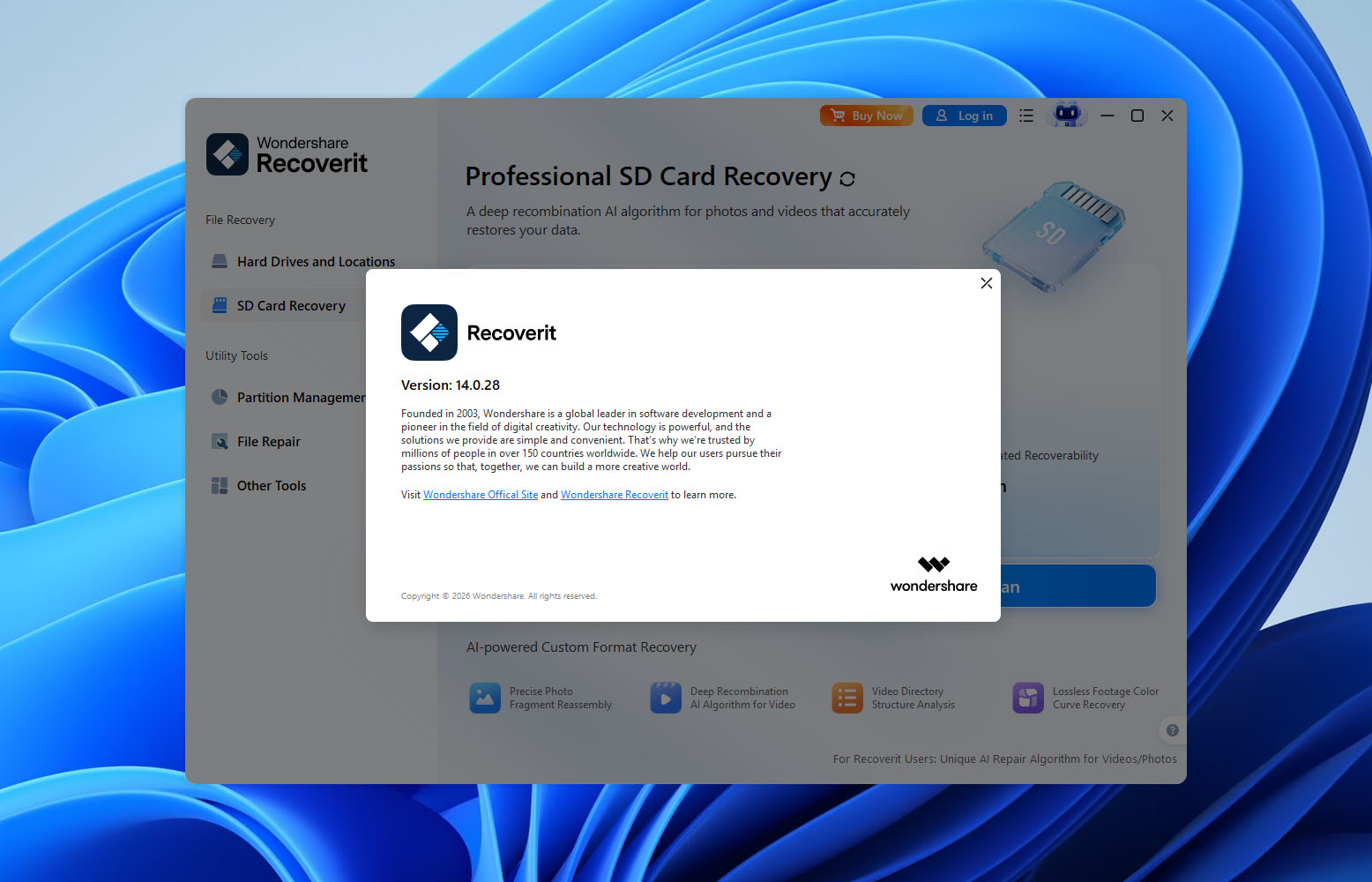
Wondershare Recoverit is a user-friendly data recovery tool that targets both beginners and experienced users. During our testing, it delivered strong results when recovering recently deleted files and provided one of the more polished interfaces we’ve seen in this category. The software also includes several useful extras.
That said, our results showed that Recoverit performs best in relatively straightforward recovery scenarios. As the complexity of the data loss increased, recovery rates became less consistent.
Pros
- Clean and beginner-friendly interface
- Available for both Windows and macOS
- Good recovery results for recently deleted files
- Supports most common storage devices and file systems
- Includes file preview functionality
- Can create disk images and restore from them
- Includes photo, video, and document repair tools
- Large file signature database with support for many file formats
- Free version limited to 500 MB of recovery
- Recovery performance drops in more complex scenarios
- Preview support can be inconsistent
- SMART monitoring is unavailable in the Windows version
- Limited RAID and advanced file system support compared to professional tools
- Monthly subscription offers relatively poor value
About Wondershare Recoverit
Wondershare Recoverit has been on the market for many years and remains one of the most recognizable names in the data recovery industry. The software is developed by Wondershare, a company founded in 2003 that also produces products such as Filmora, UniConverter, and DemoCreator.
Before moving on to our recovery tests, we wanted to examine what Recoverit actually promises on paper. Technical specifications never tell the whole story, but they do provide a useful starting point. Support for file systems, storage devices, and recovery scenarios often determines whether a program is suitable for a particular job long before the scan even begins.
Platform, File System, and File Type Support
Recoverit is available for both Windows and macOS. According to Wondershare, the software supports recovery from most file systems commonly encountered by home users and professionals alike. This includes FAT32 and exFAT flash drives, NTFS Windows partitions, APFS and HFS+ volumes used by macOS, as well as Linux file systems such as EXT2, EXT3, and EXT4.
The software can also scan RAW storage devices. This is particularly important because many recovery situations begin with a memory card, USB drive, or external disk suddenly appearing as unformatted or inaccessible.
Wondershare advertises support for more than 1,000 file formats. While we didn’t verify that figure ourselves, our testing confirmed support for the file categories most users care about, including documents, photos, videos, audio files, archives, and several RAW image formats used by modern cameras.
Supported Devices and Recovery Scenarios
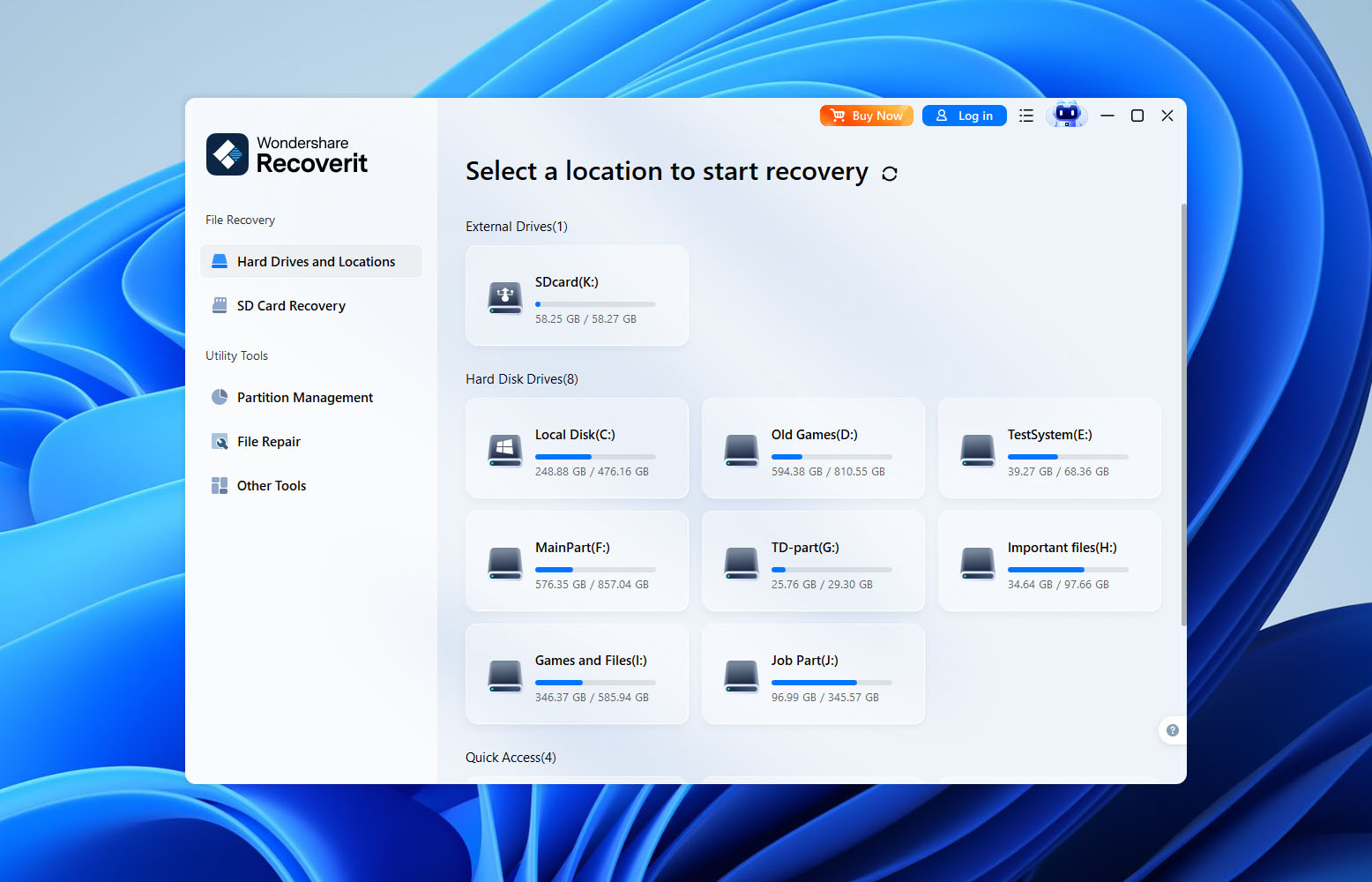
Like most modern recovery applications, Recoverit supports a broad range of storage devices. The software can scan traditional hard drives, SSDs, USB flash drives, SD and microSD cards, external storage devices, and other media that appear as standard storage volumes within Windows or macOS.
According to Wondershare, Recoverit is designed to handle much more than accidental deletion. The software can attempt recovery from formatted drives, lost partitions, corrupted file systems, RAW devices, and storage media affected by logical damage. It also includes a bootable recovery environment that can help retrieve files from systems that no longer start normally.
Overall, the specifications paint a fairly positive picture. Recoverit appears to cover most devices, file systems, and data loss situations that users are likely to encounter. The question, of course, is whether those capabilities translate into strong recovery results in practice. That’s exactly what we wanted to find out during our testing.
Key Features
Beyond standard file recovery, Recoverit includes several additional tools that aim to make the recovery process more flexible.
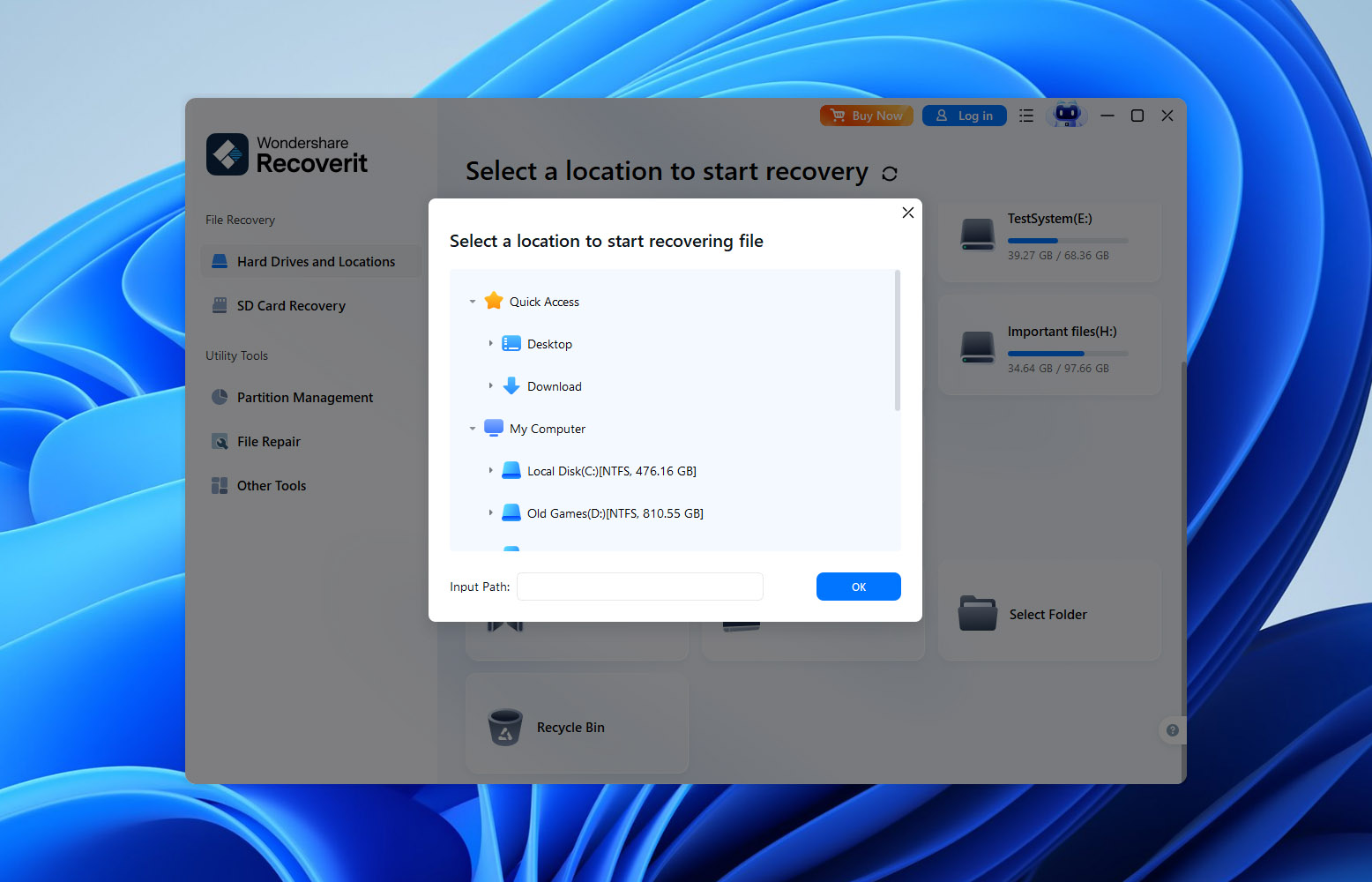
One feature we found somewhat unusual is the ability to start recovery from a specific folder rather than scanning an entire storage device. At first glance, this sounds like a useful shortcut if you know exactly where the lost files were stored. In practice, however, deleted files don’t really “live” inside folders anymore once the file system removes their directory entries. Recovery software ultimately has to search the underlying storage for traces of the missing data regardless of where the files originally appeared.
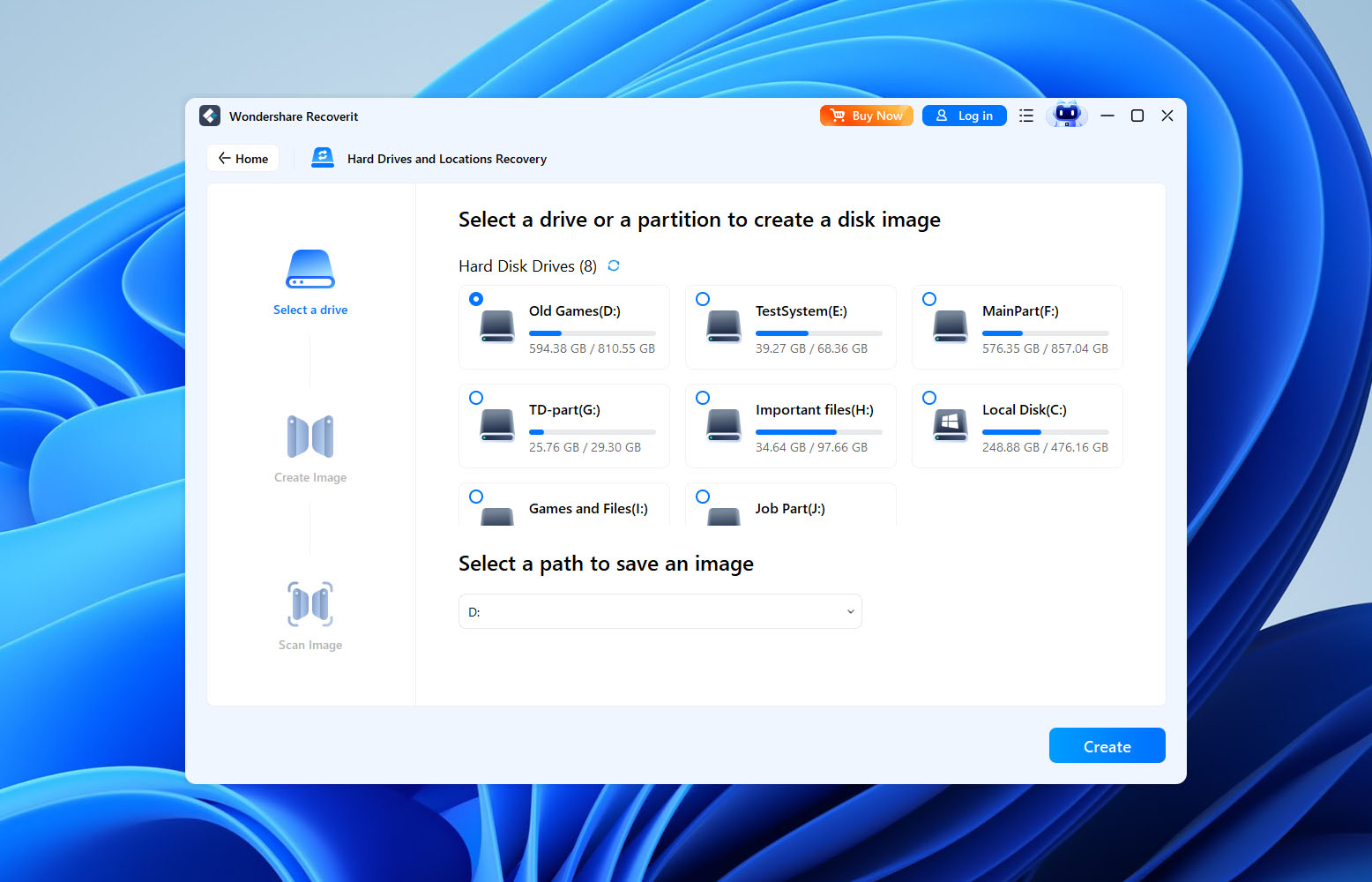
Recoverit also includes a built-in disk imaging tool. This allows users to create a sector-by-sector backup of a drive and then scan the image instead of the original device. We always prefer this approach when dealing with unstable drives because it reduces the risk of further damage while recovery attempts are underway. The implementation itself works well, although we found the feature somewhat hidden within the interface compared to how prominently similar functionality is presented in some competing tools.
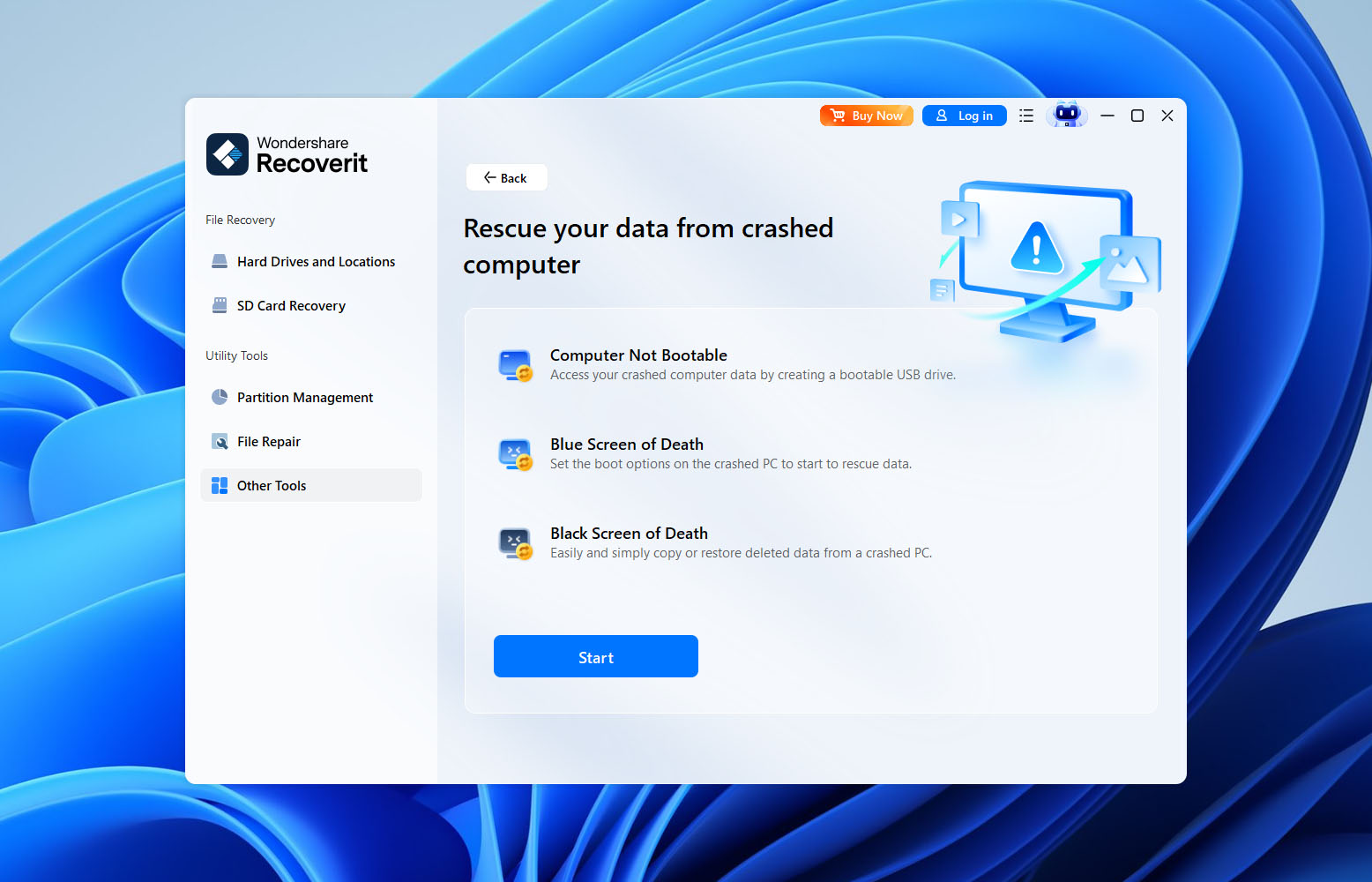
Another notable feature is Crash Computer Recovery. Recoverit can create bootable recovery media that allows users to access and recover files from systems that no longer boot normally. This won’t solve hardware failures, but it can be useful when Windows becomes unbootable and important files still need to be extracted before troubleshooting or reinstalling the operating system.
For users working outside traditional desktop environments, Wondershare also offers recovery options for Linux systems and NAS devices. This expands the software’s potential audience beyond typical home users, although these features are less advanced than what some dedicated enterprise-focused recovery solutions provide.
Recoverit places particular emphasis on media recovery. Its Enhanced Recovery mode is designed to improve results for photos and videos, especially files originating from cameras, drones, action cameras, and similar devices. The concept is similar to specialized camera recovery technologies found in some competing products, like Disk Drill. During our testing, the feature helped identify additional media files that were missed during standard scans. However, we didn’t see convincing evidence that it could reliably reconstruct fragmented video files.
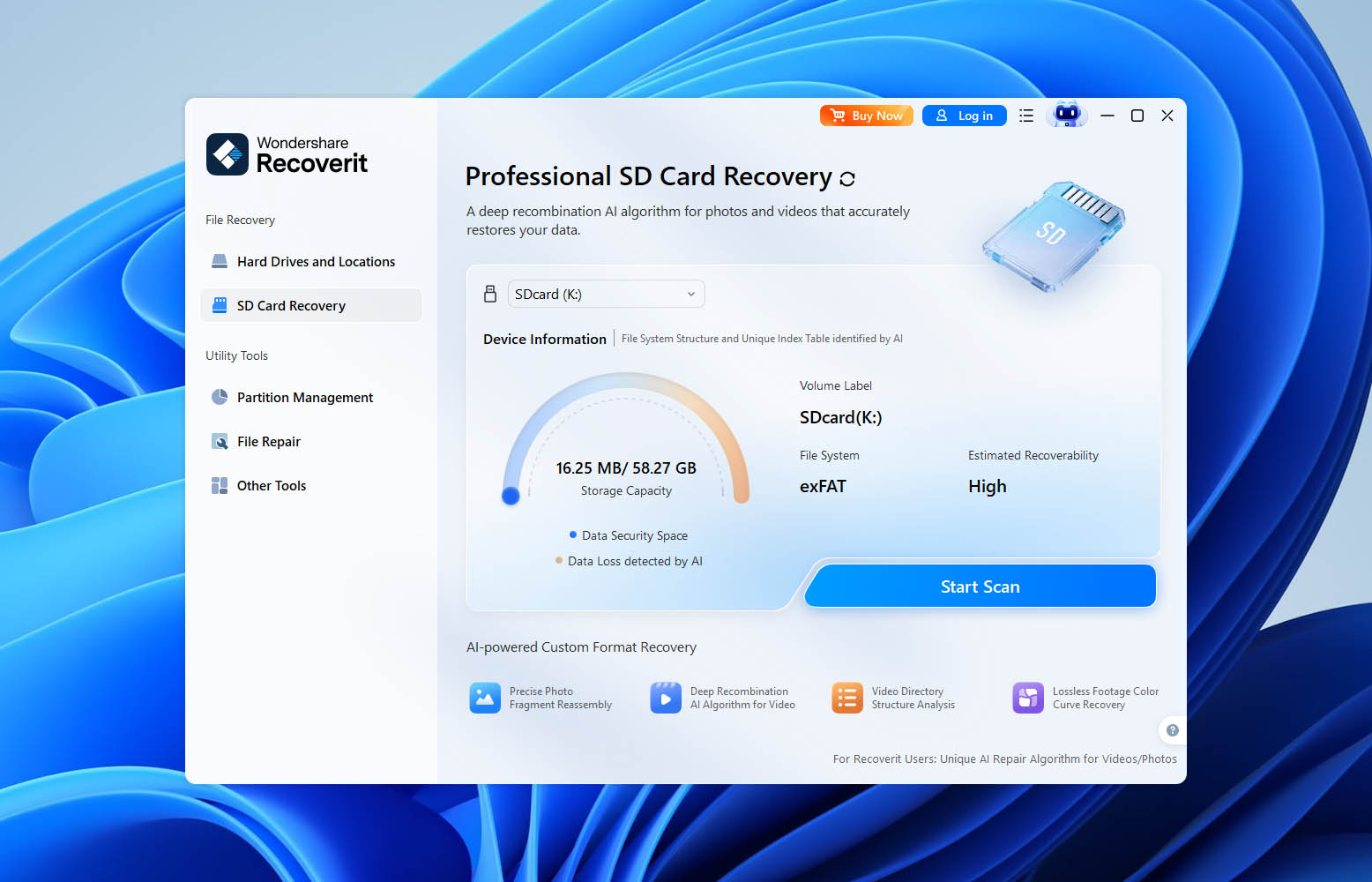
The software also includes dedicated repair modules for corrupted media. Recoverit Video Repair attempts to fix damaged video files that no longer play correctly due to corruption, interrupted recording sessions, or transfer errors.
User Interface
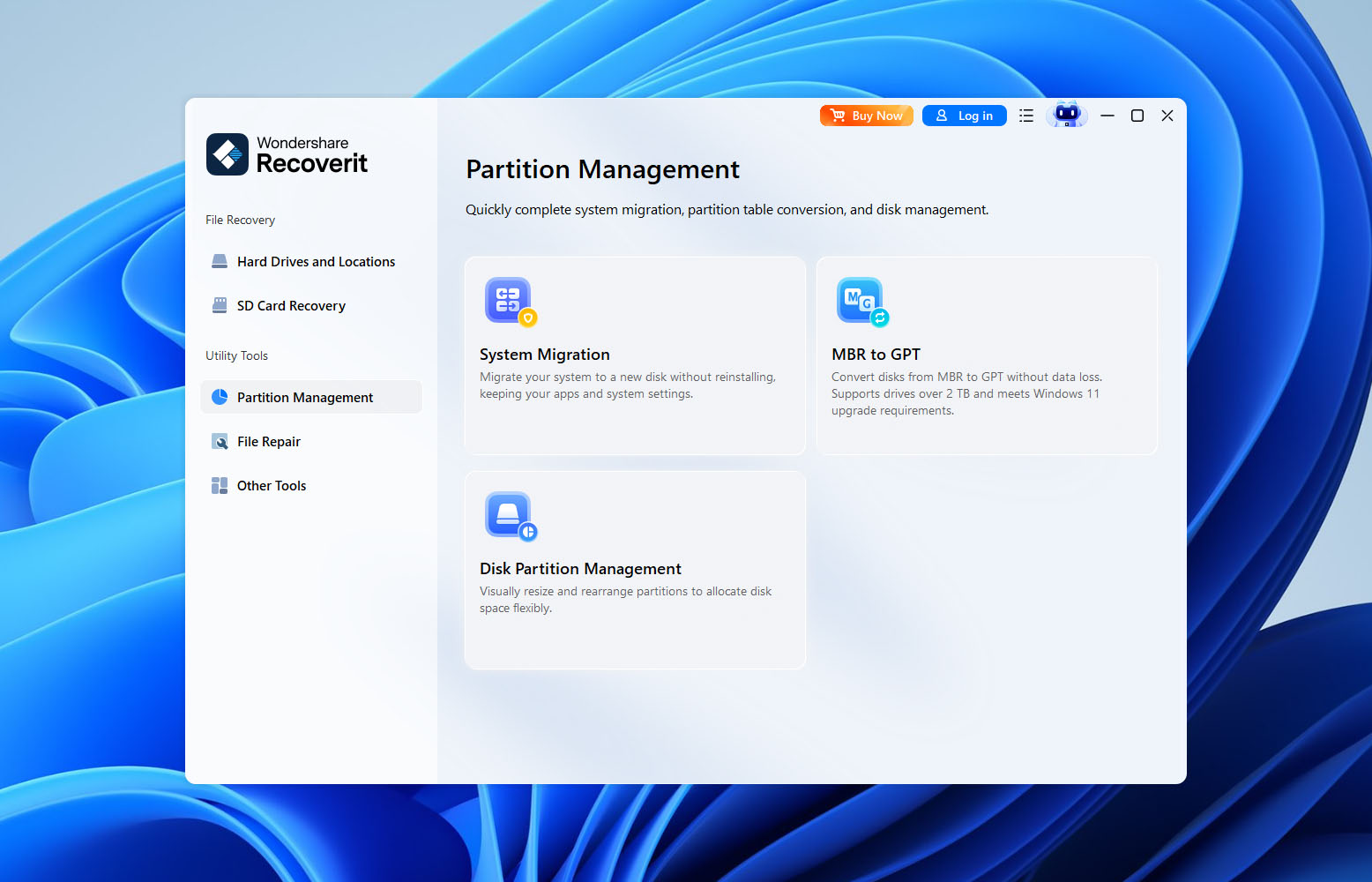
Visually, Recoverit is one of the better-looking recovery tools we’ve tested. The interface feels modern, the navigation is straightforward, and first-time users are greeted with helpful hints that explain what different sections do and where to click next.
If your goal is simply to recover deleted files from a drive, USB stick, or memory card, you probably won’t have much trouble figuring things out. The recovery workflow is easy to follow, and most functions are clearly labeled.
That said, a few design choices left us scratching our heads. For example, Recoverit’s disk imaging feature doesn’t have a dedicated place in the sidebar like most of the other tools. Instead, it’s hidden within the recovery workflow itself. Considering how important disk imaging can be when dealing with unstable drives, we would’ve preferred to see it treated as a standalone feature rather than something users have to discover through several extra clicks.
Pricing
| Edition | What’s Included | Users / Activations | Price |
| Recoverit Free | Scan drives, preview recoverable files, up to 500 MB recovery | 1 PC | Free |
| Recoverit Monthly | Unlimited recovery, photo/video/document repair, Enhanced Recovery, bootable recovery, NAS & Linux recovery | 2 PCs | $65.99/month |
| Recoverit Annual | Same features as Monthly plan | 2 PCs | $86.99/year |
| Recoverit Perpetual | Same features as Monthly plan, one-time payment | 2 PCs | $122.99 |
One thing worth mentioning is that Wondershare frequently runs promotions. In fact, the prices shown in the table above were active when we prepared this review, and the company regularly advertises additional limited-time offers directly on the checkout page. That’s why the amount you actually pay may differ from the standard list price shown elsewhere.
Students can also receive discounted pricing through Wondershare’s educational program. At the time of writing, the company offers student plans at roughly 30% below standard pricing after verification through Student Beans.
For businesses, Wondershare offers separate SMB licensing that starts at $159.99 per year. However, larger business and enterprise deployments are handled individually, so the final cost depends on the number of users and the organization’s specific requirements.
Customer Support
If you run into problems while using Recoverit, Wondershare’s support page will first direct you toward self-service resources. The company maintains a fairly extensive knowledge base with setup guides, troubleshooting articles, FAQs, and product documentation, so there’s a reasonable chance you’ll find an answer without contacting support directly.
If that doesn’t solve the problem, Wondershare also offers a Message Customer Support option powered by an AI support agent. One thing we noticed is that you can’t access this feature immediately. Before starting a conversation, you’ll need to sign in to a Wondershare account. Fortunately, the process is fairly quick, and you can use a Google account instead of creating credentials from scratch.
How We Tested It
To make this Recoverit review as useful as possible, we tested the software against three common data loss scenarios that many users eventually encounter:
- For the deleted-file test, we used a 500 GB hard drive and removed a collection of photos, videos, documents, archives, and several less common file formats. We then evaluated whether Recoverit could locate the missing files and restore them in a usable state.
- The second test involved a 16 GB USB flash drive that had been quickly formatted. This scenario is considerably more challenging because the software must reconstruct files after the file system metadata has been removed.
- Finally, we tested Recoverit on an 8 GB SD card that had become RAW and was no longer accessible through the operating system.
The results of these tests form the basis of our evaluation. However, recovery performance wasn’t the only factor we considered.
| Metric | What We Measured |
| Recovery success rate | Percentage of files successfully restored and fully usable after recovery |
| Scan speed | Time required to complete scans and return results |
| Ease of use | Interface clarity, workflow simplicity, and overall user experience |
| Value for money | Features, recovery performance, and pricing compared to competing products |
Testing Workflow
Now it’s time for the practical part of the review. Before looking at the actual recovery results, let’s walk through what it’s like to use Recoverit during a real recovery session.
Getting started is straightforward. After installation, Recoverit presents all available recovery locations directly on the main screen. Rather than launching a wizard, the software immediately asks you what you want to recover from: a hard drive, USB device, SD card, desktop folder, Recycle Bin, NAS device, Linux machine, or one of its specialized recovery modules.
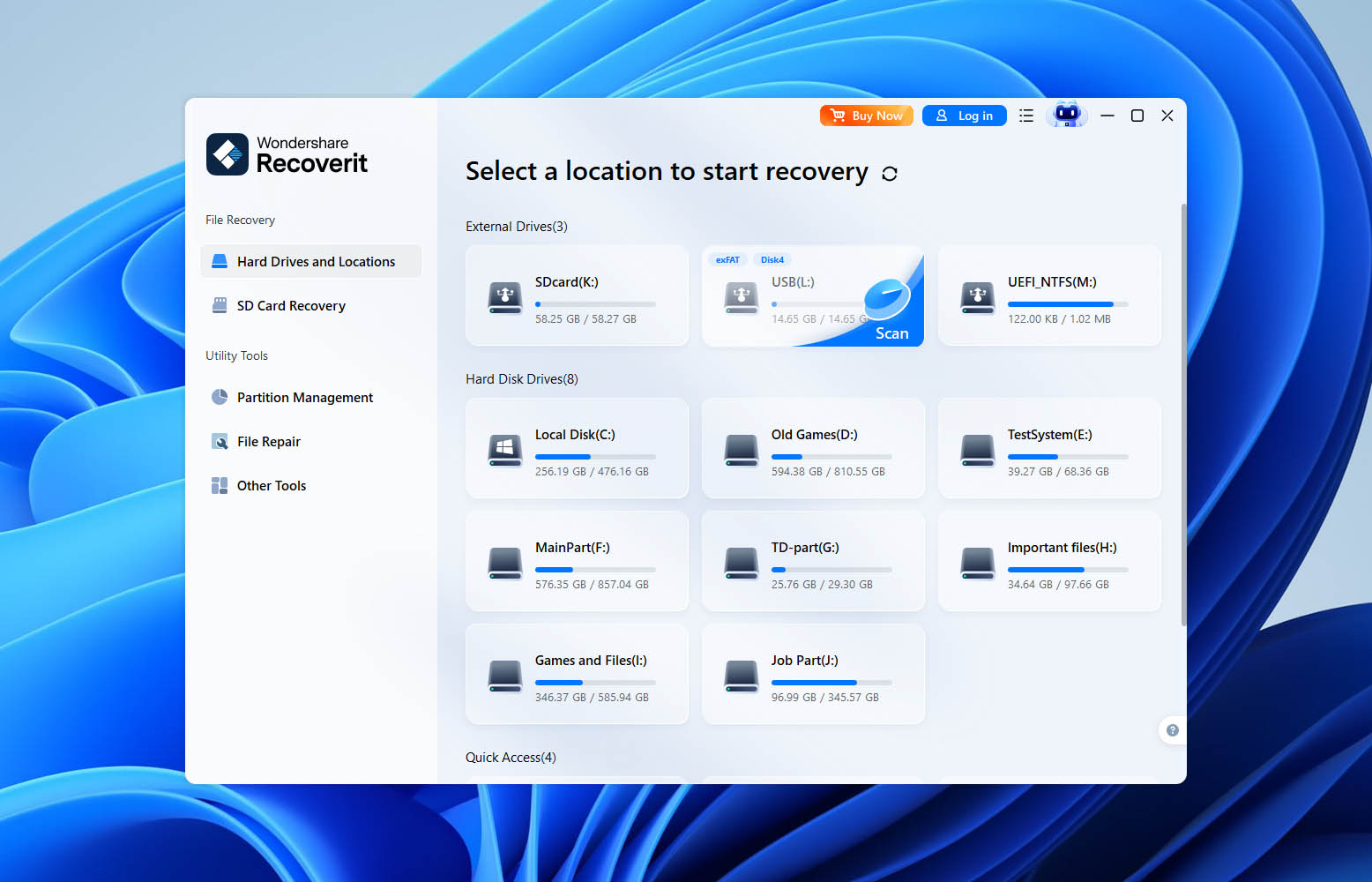
For our tests, we selected the target device and started a scan. Unlike some recovery tools, Recoverit doesn’t ask whether you want a quick scan or a deep scan. The software automatically begins scanning and gradually expands the search as more data is discovered.
One thing we liked is that results start appearing almost immediately. You don’t need to wait for the entire scan to finish before browsing files. Recoverit allows you to search, filter, and preview recoverable data while the scan is still running.
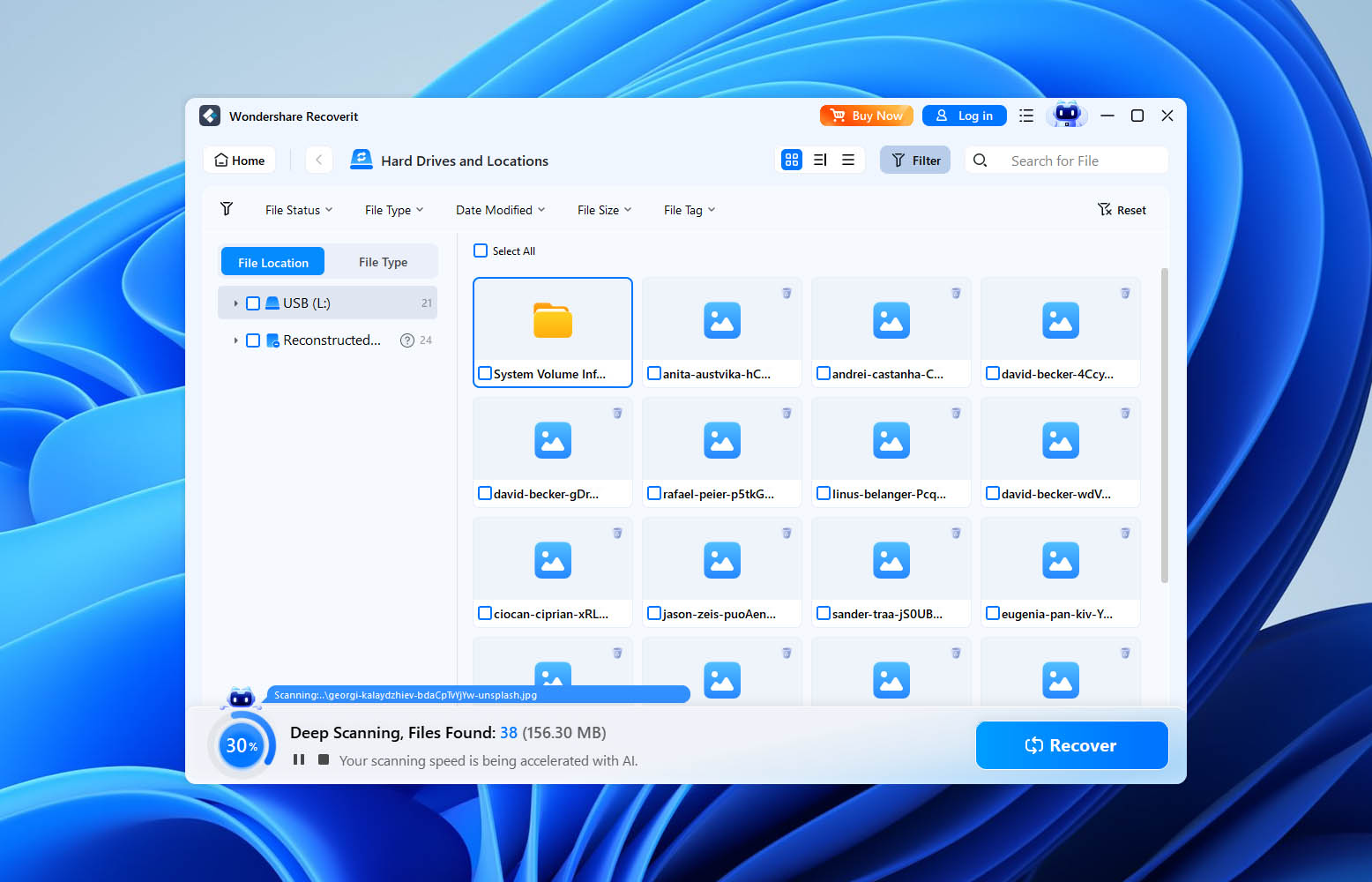
The results screen is well organized. Files can be viewed by path or file type, and several filters help narrow down large result sets. Preview support is available for many common file formats, although we found it somewhat inconsistent. Standard photos generally previewed without issue, while some less common formats either generated limited previews or failed to preview entirely.
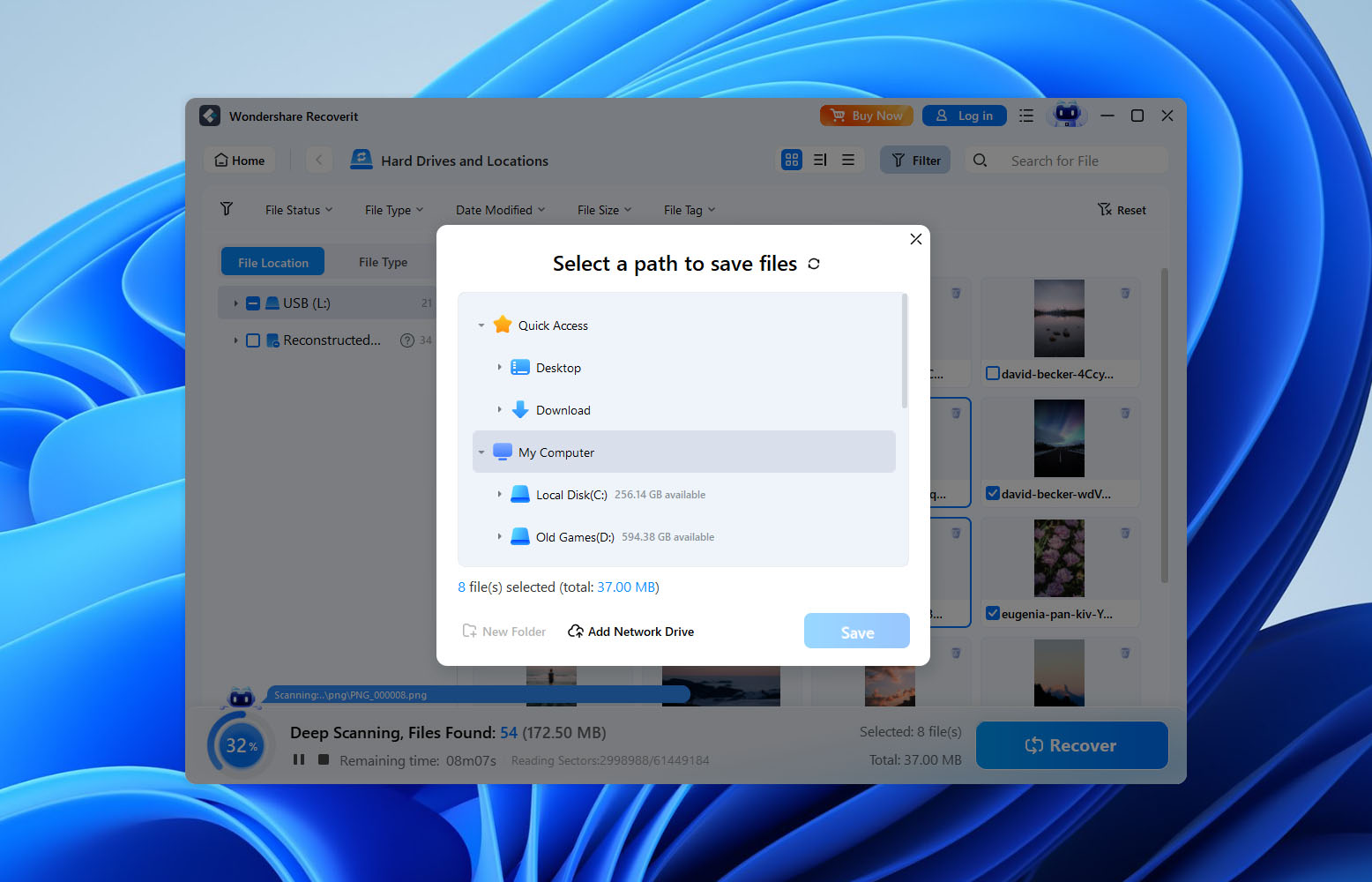
Recovering files is as simple as selecting the items you want and choosing a destination folder. Overall, the workflow feels polished and approachable, which is one of Recoverit’s stronger qualities.
| Scenario | Recovery Success Rate | Notes |
| 500 GB HDD (deleted files) | 100% | All test files were recovered successfully and remained fully usable. |
| 16 GB USB flash drive (quick format) | ~87% | Most photos and documents recovered successfully. Some videos were missing or damaged, and the original folder structure was not preserved. |
| 8 GB RAW SD card | ~76% | Many files were recovered, but success varied by file type. HEIC and JP2 files showed noticeably lower recovery rates, while some videos could not be opened after recovery. |
As the results show, Recoverit handled simple file deletion exceptionally well, recovering all files from our test hard drive.
Performance remained solid on the formatted USB drive, although some filenames, folder structures, and video files were lost in the process.
The RAW SD card proved to be the most challenging scenario. While Recoverit recovered a large amount of data, some files (particularly videos and less common formats) either failed to recover correctly or couldn’t be opened afterward.
We also found that Enhanced Recovery helped identify additional media files, but it didn’t reliably restore fragmented videos in a usable state.
| Metric | Result |
| Recovery success rate | ~88% average recovery rate across all three test scenarios |
| Scan speed | Overall speed falls within the mid-range compared to competing tools |
| Ease of use | Easy. The interface is beginner-friendly, navigation is straightforward, and most recovery workflows require very little configuration |
| Value for money | Fair, but relatively expensive. Recoverit performs well, though its pricing sits on the higher end compared to several competing recovery tools with similar or stronger recovery capabilities (more on that later) |
Users’ Feedback About Recoverit
To complement our own testing, we also looked at user reviews across several popular review platforms. While hands-on testing helps us evaluate recovery performance under controlled conditions, long-term user feedback often reveals issues that don’t always appear during short-term testing.
| Source | Rating | Number of Reviews |
| Trustpilot | 4.6/5 | ~5,900 reviews |
| G2 | 4.3/5 | ~59 reviews |
Positive reviews often focus on Recoverit’s ability to restore files in situations where users believed the data was gone for good. For example, one G2 reviewer described Recoverit as a “Life saver” and reported that the software recovered “99.9 percent of the files”. Another G2 user praised the software’s simplicity, stating that it was “Super easy to use, just deep scan and recover!”
Not all feedback is positive, however. Some complaints revolve around recovery expectations and subscription-related issues. In one Reddit discussion, a user reported that Recoverit found recoverable files during scanning but ultimately recovered “nothing. not a thing.” Another Reddit user was even more critical, claiming the software “recovered nothing useful” and expressing frustration with the company’s billing practices.
We also found reviews that landed somewhere in the middle. One user featured on Wondershare’s own review page acknowledged that Recoverit “did do a great job” recovering data but also complained about “LOTS of files duplicated” in the recovery results. That’s something we occasionally see with signature-based recovery methods and aligns with some of our own observations during testing.
Taking everything together, Recoverit’s reputation appears largely positive. Most satisfied users praise its ease of use and successful recoveries, while negative reviews tend to focus on pricing and subscription management.
Competitors vs Recoverit
We can spend a lot of time discussing Recoverit based on our own testing results, but numbers alone don’t always tell the full story. Sometimes it’s easier to understand where a recovery tool stands by comparing it directly with the alternatives users are most likely to consider alongside it.
For this comparison, we selected three well-known competitors. Disk Drill serves as Recoverit’s closest rival, targeting a similar audience and offering a comparable mix of usability and advanced recovery features. R-Studio represents the more professional end of the market, with a stronger focus on complex recovery scenarios and RAID environments. Finally, we included Recuva, which remains one of the most popular free recovery tools thanks to its unlimited recovery model and simple approach.
Here’s how Recoverit stacks up against each of them:
| Feature / Tool | Recoverit | Disk Drill | R-Studio | Recuva |
| Ease of Use | Very user-friendly | Very user-friendly | Technical, for pros | Simple |
| Supported OS | Windows & macOS | Windows & macOS | Windows, macOS, Linux | Windows only |
| File Systems | FAT, NTFS, exFAT, HFS+, APFS, EXT | FAT, NTFS, exFAT, HFS, APFS, EXT, BTRFS, RAW | Very wide (incl. RAID formats) | FAT, NTFS |
| Claimed File Type Support | 1,000+ formats | ~400 signatures | Very wide | Limited |
| Preview Before Recovery | Good, but sometimes inconsistent | Excellent | Limited | Limited |
| Scan Speed | Fast | Fast | Fast | Medium |
| Fragmented Video Recovery | Partial support via Enhanced Recovery | Yes | No | No |
| RAID Support | Limited | Software RAID | Advanced RAID | None |
| NAS Recovery | Yes | Yes | Yes | No |
| Disk Imaging | Yes | Yes | Yes | No |
| SMART Monitoring | Mac only | Windows & macOS | Yes | No |
| File Repair Tools | Photo, video, and document repair | No dedicated repair module | No | No |
| Free Edition | 500 MB recovery | 100 MB recovery | <256 KB per file | Fully free |
| Price (Entry Paid License) | $86.99/year or $122.99 lifetime | $89/year or $149 lifetime | $79.99 per platform | Free / Pro $24.95 |
| Value for Money | Good | Very good | Best for professionals | Good for basic recovery |
If you’re looking for a Recoverit alternative, Disk Drill is the closest match. Both target users who want a modern interface without sacrificing advanced recovery capabilities. Recoverit has an advantage when it comes to built-in repair tools for damaged photos, videos, and documents, while Disk Drill offers a broader collection of recovery-oriented features such as SMART monitoring, RAID support, recovery chance estimates, and stronger fragmented video recovery.
R-Studio remains the most powerful option in this comparison for professional users and data recovery specialists, particularly when RAID arrays and complex storage configurations are involved. The downside is a significantly steeper learning curve.
Recuva sits at the opposite end of the spectrum. It’s inexpensive, lightweight, and simple, but it lacks many of the capabilities found in the other three products and struggles with more advanced recovery scenarios.
Looking at the overall package, Recoverit performs well and delivers solid recovery results, particularly in straightforward scenarios. However, its pricing places it very close to some stronger competitors, which makes the value proposition less clear-cut than it initially appears. As our testing showed, Recoverit is certainly capable, but whether it offers the best value depends largely on which features matter most to you.
Our Verdict
After putting Recoverit through our testing process, here’s how it scored.
| Metric | Score | Notes |
| Recovery success rate | 8/10 | Excellent results on deleted files, good performance on formatted drives, but noticeably weaker on RAW media. |
| Scan speed | 7/10 | Neither particularly fast nor slow. The ability to browse results during scanning improves the overall experience. |
| Ease of use | 9/10 | One of Recoverit’s strongest areas. The interface is modern, intuitive, and beginner-friendly. |
| Value for money | 6/10 | A capable tool, but the pricing feels high compared to some competing products that offer stronger recovery features. |
🌟 Overall Score: 7.5 / 10
Overall, we can comfortably recommend Recoverit for common recovery situations involving healthy storage devices. If you’ve accidentally deleted files from a hard drive, USB flash drive, or memory card, Recoverit is likely to do the job without much trouble.
Our confidence drops somewhat when unstable or potentially failing drives enter the picture. Recoverit includes a disk imaging tool, which is certainly useful, but the Windows version lacks SMART monitoring. That means you’ll need a separate utility to check the health of the drive before you begin recovery. For us, that makes Recoverit less convenient when working with devices that may already be experiencing hardware issues.
We’d also think twice before choosing Recoverit specifically for camera, drone, or action camera footage. Wondershare promotes Enhanced Recovery heavily, but our testing didn’t show convincing evidence that it can reliably reconstruct fragmented video files. If video recovery is a priority, we’d suggest looking at a Recoverit alternative such as Disk Drill, which currently handles both fragmented video recovery and drive health monitoring more effectively.
That brings us to the final question: is Recoverit worth paying for? Considering that tools like Recuva offer a surprisingly large portion of the basic recovery functionality for free, the answer isn’t entirely straightforward
Our recommendation is don’t rely solely on marketing pages or comparison charts. Test a few recovery tools against your specific situation, compare the results, and make your decision based on what actually recovers your files. We’ve provided the data and our observations. The final choice is yours.